Quantum Data 802R User's Guide Page 699
- Page / 744
- Table of contents
- TROUBLESHOOTING
- BOOKMARKS

- 802BT/802R Video Test 1
- Generator 1
- User Guide 1
- Contents 3
- Chapter 5 Working with Images 5
- Chapter 10 Testing EDID 8
- Chapter 11 Testing HDCP 9
- Appendix A Command Reference 9
- Appendix B Image Reference 9
- Appendix C Error Messages 9
- 1 Getting Started 11
- Product overview 12
- Operating the generator 14
- Image knob 15
- Image Step key 15
- R, G, B Video Gate keys 16
- Outputs Key 17
- Status display 18
- Video interfaces 19
- LVDS interface 20
- HDMI interface 20
- Special Sync (S/S) interface 20
- S-Video interface 20
- Composite video BNC 21
- Component video BNC interface 21
- Computer interfaces 22
- PCMCIA interface 23
- Command interfaces 24
- Changing the baud rate 25
- 16 Chapter 1 Getting Started 26
- Special operating modes 28
- Summary of special modes 29
- About Video Generator Manager 31
- Installing VGM 32
- 2 Testing Video Displays 33
- Making physical connections 34
- Setting the video output mode 34
- Selecting video formats 35
- Selecting formats manually 36
- Selecting images 38
- Reference.” 39
- 3 Administrative Tasks 53
- Displaying system information 54
- Restoring factory settings 55
- Calibrating the generator 57
- Calibrating frequency 58
- Cloning generators 59
- Installing firmware 60
- Memory management 61
- 4 Working with Formats 63
- Format library 65
- Format naming conventions 66
- Computer display format names 68
- Aperture designators 69
- Using legacy format names 70
- Viewing the format library 71
- Viewing format details 71
- Creating custom formats 73
- Modifying existing formats 75
- Editing Format knob lists 77
- Creating format aliases 82
- 5 Working with Images 83
- Creating custom images 85
- Command file example 86
- To copy an image onto a card: 88
- Looping through images 90
- Editing Image knob list 91
- Creating image aliases 94
- 6 Working with Test 95
- Sequences 95
- Creating a test sequence 97
- Running a sequence 104
- <format><seqName> 105
- <image> <seqStep> 105
- 7 Using GPIB Interface 107
- Overview 108
- Setting the GPIB port address 109
- Queries and commands 110
- Sending commands and queries 112
- Completion handshake 113
- Input buffer 113
- Status queries and control 114
- Logical OR 115
- Bus commands 116
- 8 Analyzing Digital Sources 119
- Getting started 120
- DVI analyzer connections 121
- Starting the analyzer 123
- HS rate VS rate 125
- 48076 72.188 125
- Testing accuracy of analyzer 130
- R: G: B: 131
- 5 5 5 131
- 9 9 9 131
- Measuring pixel errors 133
- Testing audio (HDMI only) 139
- Testing the analyzer 144
- Generating Psudo 150
- Random Noise 150
- 150
- 0 21 0 151
- PER: pels/billion 152
- 4.255 0.88 152
- 1st error: FFFFFF 152
- 9 Testing HDMI Sink Devices 155
- Special: keys 158
- H31 D8C=DMT0659 158
- V60 0=SMPTE133 158
- Testing HDMI video 159
- Testing HDMI video formats 160
- Pixel repetition factor 162
- Testing HDMI audio 165
- Image Description 167
- To audio source 169
- Testing HDMI InfoFrames 171
- 10 Testing EDID 175
- Special: keys 177
- Digital friendly 177
- 170 Chapter 10 Testing EDID 180
- EDID testing for sink devices 181
- 172 Chapter 10 Testing EDID 182
- 176 Chapter 10 Testing EDID 186
- 178 Chapter 10 Testing EDID 188
- 180 Chapter 10 Testing EDID 190
- 182 Chapter 10 Testing EDID 192
- 01 HSVD 0 193
- 184 Chapter 10 Testing EDID 194
- 11 Testing HDCP 195
- 186 Chapter 11 Testing HDCP 196
- 188 Chapter 11 Testing HDCP 198
- HDCP? command 200
- Troubleshooting HDCP errors 201
- Understanding the HDCP test 202
- 194 Chapter 11 Testing HDCP 204
- 12 Using Special Sync Output 205
- Probe coordinate numbering 207
- Configuring the probe feature 208
- Action Procedure 209
- A Command Reference 213
- Commands by name 214
- Clear Status 215
- Delay Device Trigger 216
- Event Status Enable 217
- Event Status Register 218
- IDeNtification 219
- OPeration Complete 220
- Service Request Enable 222
- STatus Byte 223
- WAIt for completion suffix 226
- ALIas Kill 229
- ALIas Query 231
- Command syntax ALLE 232
- ANalyzer Image Gate 235
- ANTI-alias 237
- Audio sampling RATe 238
- Analog Sync on Blue Gating 240
- Analog Sync Composite Type 241
- Analog Sync on Green Gating 243
- Analog Sync on Red Gating 244
- Analog Sync Signal Gate 246
- Analog Sync Signal Swing 247
- Analog Video COnfiguration 249
- Analog Video Pedestal Gate 251
- Analog Video Pedestal Swing 252
- Analog Video Signal Swing 253
- Analog Video Signal Type 255
- BLUe Gate 258
- BOot and IniTialize 259
- Class System control 260
- Command syntax BOOT 260
- Bit RATe 261
- CALL internal function 265
- Composite Sync Pulse Gate 269
- Composite Sync Pulse Polarity 270
- ConTroL Mask 271
- Content Aspect Ratio 272
- Related commands EXAR, SXAR 273
- Related commands DACG 275
- Digital Audio Channel Gate 276
- Digital Audio Down-mix Gate 277
- Digital Audio Signal Type 280
- Digital Audio Content Gate 282
- Display Code Bit Mask 283
- Display Code EXpected 284
- Data Channel Power Gate 285
- Display Code ReaD 287
- DDC Version supported 288
- DIRectory save As 291
- DIRectory editing Begin 292
- DIRectory editing End 293
- DIRectory Kill 294
- DIRectory Load 295
- DIRectory New 296
- DIRectory Path 297
- DIRectory Query pointer 298
- DIRectory Save 299
- Dimension bitMAP 300
- Display sequence step NUMbers 301
- Data Island Packet Type Gate 304
- Digital Sync Composite Type 306
- Digital Sync Separate Type 307
- Digital Video Protocol Type 311
- Digital Video Sampling Mode 315
- Digital Video Signal Polarity 316
- Digital Video Signal Swing 317
- Digital Video Signal Type 318
- EDID read 320
- EQUalization Flatten 323
- ERRor queue Clear 324
- ERRor Queue 325
- Yank ERRor from queue 326
- EXtended Aspect Ratio 327
- Font DaTA 332
- FLaSH new firmware via GPIB 333
- ForMaT save As 334
- ForMaT editing Begin 335
- ForMaT editing End 336
- ForMaT in buffer Good 337
- ForMaT Justify 338
- ForMaT New 341
- Query response name 342
- ForMaT Path 343
- ForMaT Query pointer 344
- ForMaT Save 346
- ForMaT Use 347
- ForMat Zap 348
- Frame RATe Query 350
- Frame Sync Pulse Delay 352
- Frame Sync Pulse Gate 353
- Frame Sync Pulse Polarity 354
- Frame Sync Pulse Width 355
- GAMmA correction factor 356
- GAMma Correction mode 357
- Get Component Error Tallies 358
- Get First Error Data 361
- Get LUT from hardware 362
- Get Number of Pixel Tested 364
- Get PixEL color components 365
- Get Pixel Error Rate 366
- GPIB address 367
- GRNe Gate 371
- Go To Local State 372
- Horizontal RATe 377
- Horizontal RESolution 378
- Horizontal SIZe 379
- Horizontal Sync Pulse Delay 380
- Horizontal Sync Pulse Gate 381
- Horizontal Sync Pulse Width 383
- Horizontal Sync Rate Shift 384
- I2C port Read 389
- I2C port Write 391
- Initialization DETect 393
- InfoFrame Generator Use 394
- InfoFrame Type Gate 395
- InfoFrame Type Repeat Mask 396
- IMaGe save As 397
- IMaGe editing Begin 398
- IMaGe editing End 399
- IMaGe Kill 400
- IMaGe Load 401
- IMaGe New 402
- IMaGe Path 403
- IMaGe Query pointer 404
- IMaGe Save 406
- IMaGe Use 407
- Image STep 409
- Image Step Button 410
- Image VERsion 411
- Justify pixel clock RATe 414
- KEY toggle 415
- LCD Status 417
- LED Status 418
- Local Lock Out State 421
- Lut MAXimum level (Analog) 422
- Line Sync Pulse Gate 425
- Line Sync Pulse Polarity 426
- LUT save As 427
- LUT editing Begin 428
- LUT editing End 429
- LUT Kill 430
- LUT Load 431
- LUT Query pointer 433
- LUT Save 434
- Command syntax MAPS 443
- MEMory Compact 444
- MEMory Free 445
- MEMory Largest free 446
- MEMory Test 447
- Audio/Video Mute 451
- NAMe Find 452
- NAMe Insert 453
- NAMe Kill 454
- NAMe Query 455
- NAMe Yank 456
- Number Bits Per Audio sample 457
- Number Bits Per Component 458
- Number Clocks Per Pixel 459
- Number Digital Audio Channels 460
- Number Digital Audio Streams 461
- Number of ERRors in queue 462
- Number of digital LiNKs 463
- Class Custom image primitive 464
- Command syntax NOGA 464
- Number Pixels Per Pixel 466
- Number of STePs in sequence 467
- ERRor queue Overflow 468
- OUTputs Gate 471
- Pixel Clock Pulse Gate 474
- Pixel Data Analyzer Use 475
- Pixel Data Signal Height 476
- Pixel Data Signal Width 477
- Pixel Data Signal X Location 478
- Pixel Data Signal Y Location 479
- PixEL Depth 480
- PEN Height 481
- PEN Width 482
- Class System Level 483
- Command syntax PKUP 483
- Measure Pseudo Noise 484
- Pseudo Noise Generator Use 485
- Pseudo Noise Signal Advance 486
- Pseudo Noise Signal Format 487
- Pseudo Noise Signal Gate 488
- Pseudo Noise Signal Length 489
- Pseudo Noise Signal Mode 490
- Pseudo Noise Signal Procedure 491
- Pseudo-Noise Signal Seed 492
- Pseudo Noise Signal Type 493
- Pixel RATe query 494
- PRE-emphasis Gate 495
- Probe Sync Pulse Gate 497
- Probe Sync Pulse Mode 498
- Probe Sync Pulse Polarity 499
- Probe Sync Pulse Width 500
- PUT Absolute 502
- PUT Relative 503
- Pixel Aspect Ratio Query 504
- Reset masked ConTroL bits 506
- RED Gate 508
- Repeat FieLD 509
- RGB lut Query 510
- RGB Write 511
- Render MAP 512
- ROW Insert 513
- command 513
- ROW Yank 515
- Self CALibrate 517
- SCAN fields per frame 518
- Set masked ConTroL bits 519
- Sort DIRectory 520
- Sequence step DeLaY 521
- Sonic Data Mixer Gate 522
- Set End Of String 523
- SEQuence save As 524
- SEQuence editing Begin 525
- SEQuence editing End 526
- SEQuence Kill 527
- SEQuence Load 528
- SEQuence New 529
- SEQuence Path 530
- SEQuence Query pointer 531
- SEQuence Read 532
- SEQuence Save 533
- SEQuence Use 534
- SIZE of bit field 535
- Set Look-Up Table 536
- Class Sonic data generator 537
- Query syntax SMAX? 537
- Query syntax SMIN? 538
- Sequence operating MODe 539
- Digital Audio Sinewave Rate 543
- Set/Reset OPeration 544
- Select Sync Signal Type 546
- STRetchinG SCL Low Signal 548
- Single Video Signal Gating 550
- Signal Aspect Ratio 551
- Text BoX Gating 556
- User IDeNtification 563
- Command syntax UNPK 564
- VERsion Firmware 568
- VERsion Gateware 569
- VERsion Hardware 570
- Vertical RATe Query 571
- Vertical RESolution 572
- Vertical SIZe 573
- Vertical Sync Pulse Delay 574
- Vertical Sync Pulse Gate 575
- Vertical Sync Pulse Polarity 576
- Vertical Sync Pulse Width 577
- Vdram transfer To Flash 578
- Audio Clock Recovery Data 581
- AFD Mode Setting 582
- Audio InfoFrame Data 584
- EDID Data Write 594
- Generic Data Packet Data 597
- Generic InfoFrame Data 598
- Arbitrary Left Border Width 599
- MPEG InfoFrame Data 600
- Arbitrary Right Border Width 601
- Arbitrary Top Border Height 605
- Video Signal Gating 606
- Y MoDem Input 607
- YMDI YMODEM-BATCH upload 608
- Y MoDem Output 609
- B Image Reference 613
- Standard image descriptions 614
- Acer7 and Acer8 615
- Analyzer 616
- AnsiLght 617
- BarBlack 618
- MESony_G, and MESony_R 618
- MEPlus_G, and MEPlus_R 619
- BriteBox 624
- Burst (TV formats only) 625
- BurstTCE 626
- Check511 627
- CheckBy3 628
- Check_02 629
- Check_11 629
- CirclesL 630
- CirclesS 631
- ColorBar 631
- ComFocus 633
- DeltaErr 634
- Diamond1 635
- Dot_10, Dot_12, Dot_24 636
- DV_Swing 637
- EdidData 639
- FlashGry 641
- FlashRGB 641
- Flat_14, Flat_15, Flat_16 642
- Flat_B, Flat_G, Flat_R 643
- FocusC14 644
- FocusCCx 644
- FocusEMP 645
- FocusM00 - FocusM15 646
- Focus_Cx 647
- Focus_MM 649
- Focus_Oo 649
- FormatRx 650
- GenStats 651
- Geom_1 - Geom_5 651
- Gray25, Gray40 652
- GrayL1, GrayL3 653
- GraysAll 654
- HalfArea 656
- Hat1812, Hat1815 658
- Hat1812A, Hat1815A 658
- Hat2016A 659
- Hatch_16, Hatch_20 661
- Hatch64W 663
- Hitachi1 664
- InFocus1 665
- InFocus2 666
- KanjiKAN 666
- Linearty (Linearity) 668
- LinFocus 669
- Monoscop 672
- MSony7, MSony8 672
- MulBurst 673
- PacketRx 684
- PacketTx 684
- PgBar64H, PgBar64V 687
- Philips1 688
- PixelRep 688
- PRN24bit 689
- PRN_5, PRN_9 689
- PulseBar 689
- QuartBox 691
- Ramp_B, Ramp_G, and Ramp_R 693
- Regulate 694
- Samsung1, Samsung2 695
- Samsung3 696
- Samsung4 697
- Samsung5 697
- Samsung6 697
- SamsungB 698
- SamsungT 698
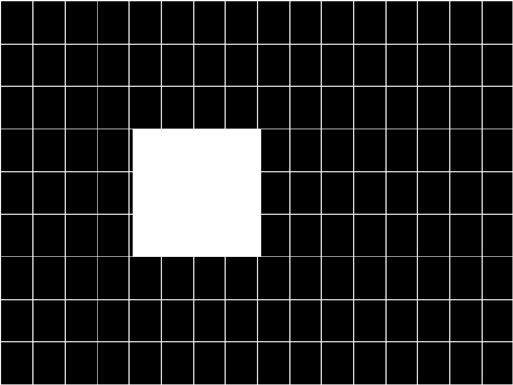
- SlideBox 699
- SMPTE133 700
- SMPTEbar 704
- Sony6WLC 707
- Staircas, Stairs20 708
- Strokes0, Strokes1 709
- TintAlign 711
- TVoutLin 714
- TVSplBar 715
- C Error Messages 717
- System errors 718
- Power fail message 719
- Format errors 720
- Error code descriptions 721
- 712 Appendix C Error Messages 722
- 714 Appendix C Error Messages 724
- 716 Appendix C Error Messages 726
- 718 Appendix C Error Messages 728
- 720 Appendix C Error Messages 730
- 3000-3999 Image errors 732
- 724 Appendix C Error Messages 734
- 5000-5999 Directory errors 735
- 6000-6999 Bitmap errors 736
- 7000-7999 LUT errors 736
- 8000-8999 Font errors 737
- 9000-9999 System errors 737
- 728 Appendix C Error Messages 738
- 730 Appendix C Error Messages 740
- 10000-10999 System errors 742
- 734 Appendix C Error Messages 744
Related products and manuals for Power generators Quantum Data 802R
 (172 pages)
© 2020, manymanuals.com. All rights reserved. | 0.056 s |
 Manymanuals.com
 Manymanuals.de
 Manymanuals.fr
 Manymanuals.it
 Manymanuals.pl
 Manymanuals.cz
 Manymanuals.es
 Manymanuals-pt.com
Comments to this Manuals